
When you start growing an app, you need the right tools for your stage, as well as the discipline to use them properly.
I’ve worked in app growth for years, first at Apple, then in ad tech, and now as an independent consultant. The single most common mistake I see indie developers make isn’t bad ASO, it’s overspending on infrastructure before they’ve validated anything, or not spending at all and wondering why nobody finds their app.
This guide covers the exact stack I’d recommend if I were building and launching an app solo in 2026.
All in, you’re looking at a $30/month bill. Let’s go.
The indie dev reality check
Before we get into tools: most ASO platforms are built for teams. AppTweak, Sensor Tower, MobileAction, you’ve probably heard of them before. And that’s because they’re excellent, but they’re priced for companies with dedicated growth managers and enough apps in their portfolio to justify the spend. At $70–$400+/month, they’re not your first move.
What you actually need as an indie dev:
- Keyword data that’s accurate enough to optimise your metadata
- Screenshot assets that look professional without a design team
- UI inspiration so you’re not guessing what good onboarding or paywalls look like
- Store intelligence with rankings, competitor visibility, review monitoring
Here’s how to cover all of that.
Astro: The lean keyword engine (+ MCP integration)
Price: $108/year (~$9/month)
Astro has quickly become one of the most respected ASO keyword tools in the market, particularly for people who care about accuracy. The keyword ranking data is consistently strong, the UI is clean, and it doesn’t bury you in features you don’t need.
At $108/year, it’s one of the most reasonable annual commitments in the ASO space. That’s less than $9/month, and for that you get a tool that serious ASO practitioners actually trust.
The bonus for the more technical indie dev: Astro has an MCP integration, which means you can connect it to your AI workflow directly and query keyword data without switching contexts. If you’re already building with Claude or another AI assistant, this is a meaningful quality-of-life upgrade.
- Pair Astro with Applyzer and you have keyword research and tracking covered at a level that genuinely rivals tools costing 5× more.

Applyzer: Serious ASO at a fraction of the usual price
Price: Free (basic, unlimited) or $19/month (Pro) to $289/mo (Pro+)
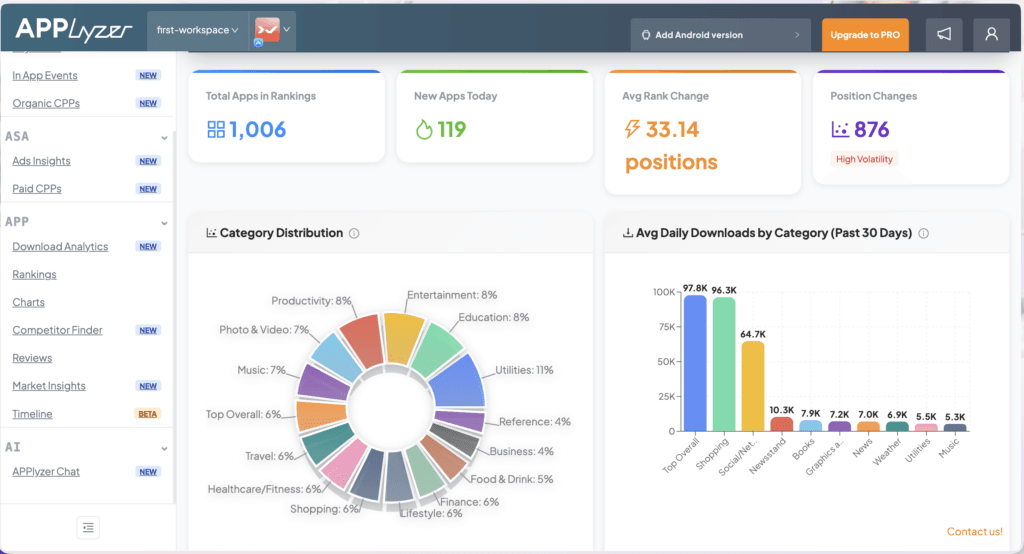
This is one of the most underrated tool in this entire list. Applyzer gives you keyword ranking tracking, app intelligence, and competitor research, the same capabilities you’d normally pay $70+ for with MobileAction or AppTweak, at a completely different price point.
The free plan is legitimately useful: unlimited apps, unlimited competitors, unlimited geos, app reviews tracking, update timeline, track in-app events, organic CPPs… the list is long.
The Pro plan at $19/month unlocks 500 keyword slots and several features that in other tools are gated behind enterprise plans. For a solo dev or small team, this is the sweet spot: enterprise-grade intelligence at indie pricing.
When to upgrade: Once you’re tracking more than a handful of keywords seriously, or when you need the deeper competitor analysis features, the $19 Pro plan is an easy call.
Screenshot Otter: App Store screenshots in minutes
Price: $10/month (monthly) or $6.25/month on annual and 50% off with code NEOADS50
Your screenshots are the single highest-leverage creative asset in your App Store listing. They’re what users see before they read a single word of your description. And yet most indie devs either use raw simulator screenshots with no design work, or spend hours in Figma trying to recreate something they saw on a top app.
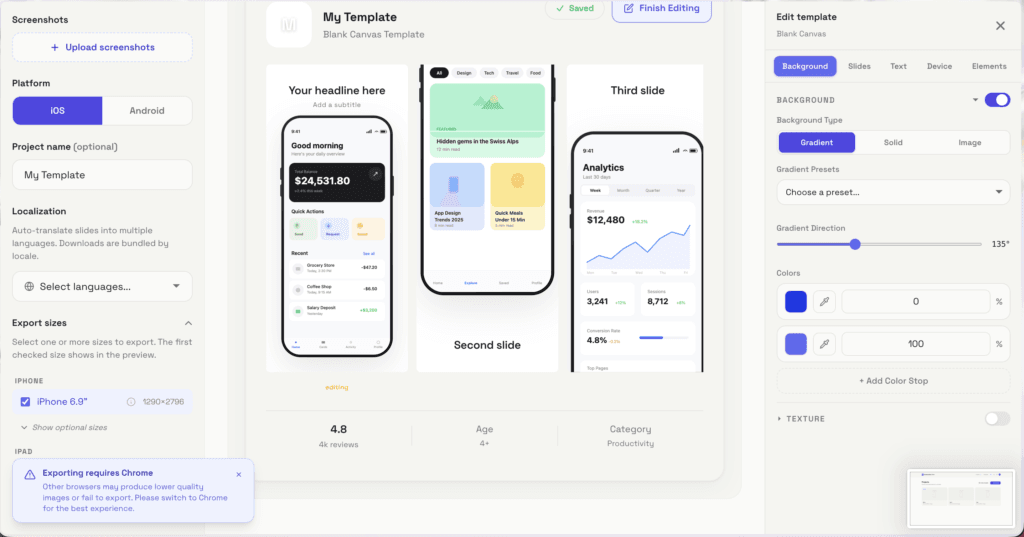
Screenshot Otter solves this cleanly. It’s a dedicated tool for creating App Store screenshots fast, with device frames, backgrounds, text overlays, without needing design skills or a designer.
At $6.25/month on the annual plan, it’s one of the cheapest solution on the market.
With the NEOADS50 code, you get an additional 50% off, making this genuinely negligible in your monthly budget while potentially having a significant impact on your conversion rate.
The economics here: A better screenshot set improving your store CVR by even 0.5% means more organic installs from the same keyword rankings. That compounds.
Try Screenshot Otter now
Try Screenshot Otter now + add NEOADS50 for 50% off
Read our ScreenshotOtter review
ScreensDesign: UI inspiration for onboarding, paywalls & screenshots
Price: $29/month (no commitment) + 50% off with code NEOADS
If you’re building an app, at some point you’ll need to design an onboarding flow, a paywall, and a screenshot sequence. ScreensDesign is the best resource I know for all three in one place.
It’s a curated library of real mobile app screens with onboarding flows, paywalls, subscription prompts, and anything you can think of, that you can filter, browse, and use as reference.
But it goes beyond inspiration: the AI features let you generate paywall flows, onboarding sequences, and even screenshot concepts that you can export directly to Figma
For $29/month with no minimum commitment, and 50% off with the NEOADS code, it’s the kind of tool that replaces hours of scrolling through the App Store trying to understand what a good paywall looks like.
Who this is for: Any indie dev who’s making design decisions without a designer.
Try Screensdesign now + add NEOADS50 for 50% off
Read our Screensdesign review

The full stack
| Tool | What it does | Cost |
| Astro | Keyword research + tracking + MCP | $108/year (~$9/mo) |
| Applyzer | ASO intelligence + competitor research | Free for basic, then starts at $19/mo for Pro |
| Screenshot Otter | App Store screenshots | ~$6.25/mo annual + NEOADS50 for 50% off |
| ScreensDesign | UI inspiration + AI screens + Figma export | $29/mo + NEOADS for 50% off |
All-in monthly cost at entry level: under $30/month.
Applyzer free + Astro (~$9) + Screenshot Otter (~$6.25 with NEOADS50 code) + ScreensDesign (~$14.50 with NEOADS50 code) = roughly $30/month if you’re being lean.
The honest bottom line
Great ASO doesn’t require an expensive tool. It requires consistent effort, accurate data, and assets that make your listing competitive. The tools above cover all three, at a price point that makes sense for where you actually are.
Build lean, track what matters, and upgrade your stack when your revenue earns it.
Disclosure: Screenshot Otter and ScreensDesign offer discounted rates through NeoAds promo codes. All tools listed are ones I genuinely use or recommend based on merit.


